









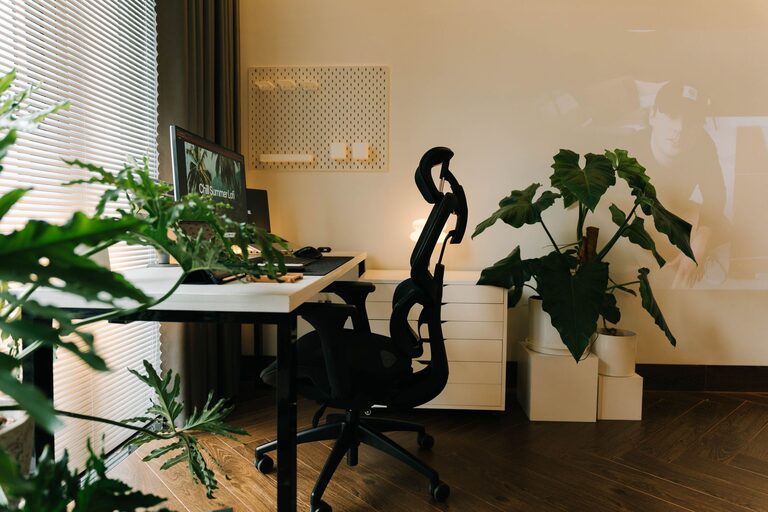
Creating a home workspace that is both cozy and productive can transform your work-from-home experience. The right environment helps improve focus, reduce stress, and make work more enjoyable. Whether you have a dedicated room or a small corner, these tips will guide you to build a space that feels inviting and efficient.
Choose the Right Location
Consider Natural Light
Natural light can boost your mood and energy levels. Try to place your workspace near a window to take advantage of daylight. If natural light is limited, use warm, soft artificial lighting to create a comfortable atmosphere without causing eye strain.
Minimize Distractions
Pick a quiet spot away from high-traffic areas of your home. This helps reduce interruptions and supports better concentration during work hours.
Invest in Comfortable Furniture
Ergonomic Chair and Desk
Comfort is crucial for productivity. An ergonomic chair that supports your back and a desk at the right height can prevent discomfort and physical strain. If space or budget is tight, look for simple adjustments like a supportive cushion or a standing desk converter.
Personalize Your Space
Add cushions, throws, or a cozy blanket to make the area feel warm and inviting. Personal touches, such as photos or favorite décor, can also motivate and inspire.
Organize Efficiently
Keep Essentials Within Reach
Arrange your most-used items—like notebooks, pens, or tech gadgets—within easy reach to avoid unnecessary distractions and time spent searching.
Use Storage Solutions
Incorporate shelves, drawers, or storage boxes to keep your workspace tidy. Decluttering helps maintain focus and creates a calm environment.
Cable Management
Tidy cables not only improve the look of your workspace but also prevent accidents and make cleaning easier.
Optimize Technology Setup
Reliable Internet and Equipment
Ensure your internet connection is stable to avoid interruptions during meetings or tasks. Invest in good-quality equipment such as headphones, webcam, and keyboard to enhance your work efficiency.
Proper Screen Position
Place your monitor at eye level to reduce neck strain. Use a laptop stand or an external monitor if necessary.
Incorporate Elements That Boost Productivity
Add Plants
Houseplants improve air quality and add a touch of nature that can reduce stress and increase focus.
Manage Noise
If background noise is a problem, consider noise-cancelling headphones or white noise machines to create a more peaceful workspace.
Use Color Thoughtfully
Colors affect mood and productivity. Soft blues and greens can create a calm setting, while pops of brighter colors like yellow may inspire creativity.
Establish Workspace Boundaries
Define Work Hours
Keeping regular work hours helps separate professional tasks from personal time. Close or “end” your workspace when the workday finishes.
Create a Ritual
Start your workday with a small ritual—like making coffee or a short stretch—to signal the transition into work mode.
Keep It Flexible
Adapt to Your Needs
Your workspace doesn’t have to be static. Rearrange or adjust your setup periodically to keep it fresh and comfortable.
Incorporate Break Areas
If space allows, designate a nearby spot for short breaks or relaxation. Even a comfortable chair or a dining nook can serve this purpose.
—
Creating a cozy and productive home workspace is about balancing comfort with functionality. By thoughtfully combining organization, comfort, personalization, and good technology, you can create an environment that supports your best work every day. Take it one step at a time, and enjoy the process of making your workspace truly yours.