







Working from home has become increasingly popular, and having a dedicated, well-organized workspace can make all the difference in staying focused and comfortable. Whether you’re tackling daily tasks or managing long projects, an efficient home office setup supports productivity and promotes a healthy work routine. Here are some practical tips to help you organize a home workspace that boosts both focus and comfort.
Choose the Right Location
Find a Dedicated Space
Select a specific area in your home that you can use solely for work. Avoid places that are associated with relaxation or distractions, such as your bed or the couch. Ideally, choose a quiet room or a corner with minimal foot traffic.
Consider Natural Light
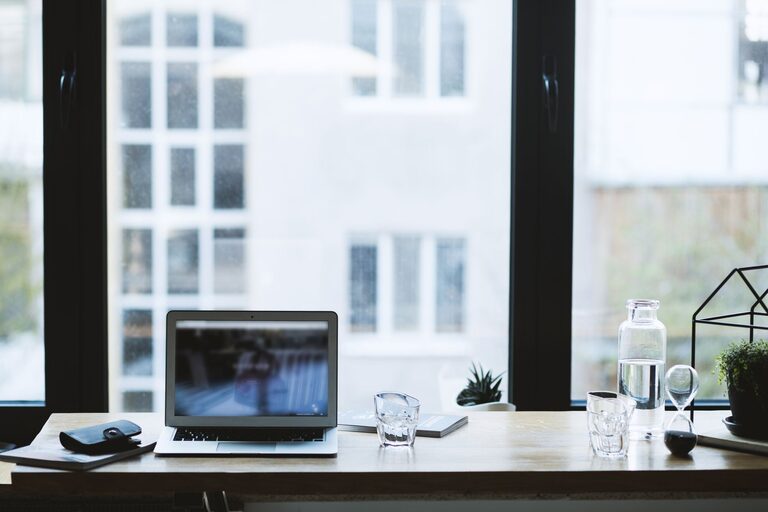
Place your desk near a window if possible. Natural light helps reduce eye strain and improves mood. If natural light is limited, invest in good quality, adjustable lighting to keep your workspace bright and inviting.
Invest in Ergonomic Furniture
Comfortable Chair
A supportive chair is essential for comfort during long working hours. Look for an adjustable chair with lumbar support to maintain good posture and reduce back pain.
Appropriate Desk Height
Your desk should allow your arms to rest comfortably at a 90-degree angle while typing. Adjustable desks can be great for switching between sitting and standing positions, which encourages movement throughout the day.
Keep It Clutter-Free
Declutter Regularly
Keep only the essentials on your desk to avoid distractions. Use drawers, shelves, or boxes to store office supplies and paperwork. Clear surfaces create a calming environment and make it easier to focus.
Use Organizational Tools
Desk organizers, cable management systems, and filing cabinets help keep everything tidy and within reach. Label folders and containers for quick identification.
Personalize Your Space Thoughtfully
Add Plants or Artwork
Small plants improve air quality and add a touch of greenery that can have a calming effect. Choose artwork or photos that inspire you but avoid too many visual distractions.
Incorporate Your Preferred Colors
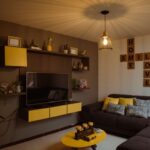
Using colors that you find calming or energizing can influence your mood. Soft blues and greens promote relaxation, while brighter colors like yellow may boost creativity.
Manage Technology Efficiently
Arrange Devices for Convenience
Position your computer, monitor, keyboard, and other devices ergonomically. The top of your monitor should be at or just below eye level to prevent neck strain.
Eliminate Digital Clutter
Keep your desktop organized by using folders and deleting unnecessary files regularly. Use apps or browser extensions to block distracting websites during work hours.
Establish a Routine
Set Clear Boundaries
Define your working hours and communicate them to family or housemates. This helps minimize interruptions and signals when you are focused on work.
Take Regular Breaks
Use techniques like the Pomodoro method to work in focused intervals with short breaks. Stand up, stretch, or walk around to prevent fatigue.
Control Noise and Distractions
Use Noise-Canceling Headphones
If your environment is noisy, noise-canceling headphones can help you concentrate. Alternatively, soft background music or white noise may improve focus for some people.
Inform Others about Your Workspace
Let household members know your work schedule and importance of minimizing distractions during those times.
Maintain Good Air Quality and Temperature
Ventilation Matters
Open windows to let fresh air circulate whenever possible. Good air quality enhances concentration and energy levels.
Comfortable Temperature
Keep your workspace at a temperature where you feel comfortable. Use fans or heaters as necessary to maintain a pleasant climate throughout the day.
Final Thoughts
Organizing a productive home workspace is about balancing comfort, functionality, and mindfulness. By dedicating time and attention to create a space that suits your needs, you can improve your focus, reduce stress, and work more effectively from home. Start small by implementing a few of these tips and gradually customize your setup as you discover what works best for you.