






Creating a home office that balances productivity with relaxation can significantly improve your work-from-home experience. A well-designed workspace encourages focus and creativity while providing a calm environment to reduce stress. Whether you’re setting up a dedicated room or a small corner in your living space, these tips will help you make the most of your home office.
Choose the Right Location
Selecting the perfect spot for your office is the first step. Look for a quiet area with minimal distractions. A separate room is ideal, but if that’s not available, use a corner that can be visually separated from living spaces. Natural light is a bonus, as it helps improve mood and focus.
Consider these factors:
– Proximity to household noise sources
– Access to windows for fresh air and sunlight
– Enough space for your furniture and equipment
Invest in Comfortable and Functional Furniture
Your office furniture directly affects your comfort and how productive you can be. Invest in an ergonomic chair with good lumbar support to prevent back pain. A desk with enough surface area allows you to keep your tools organized and within reach.
Furniture tips:
– Adjustable chairs encourage good posture
– Desks with cable management keep cords neat
– Standing desks or convertible options promote movement
Keep It Organized and Clutter-Free
A cluttered desk can distract your mind and reduce efficiency. Use storage solutions like shelves, drawers, or filing cabinets to keep documents and supplies organized. Label containers and assign specific places for common items.
Organization ideas:
– Use drawer organizers for small office supplies
– Dedicate a bulletin board or whiteboard for reminders
– Regularly declutter to maintain a tidy space
Incorporate Relaxing Elements
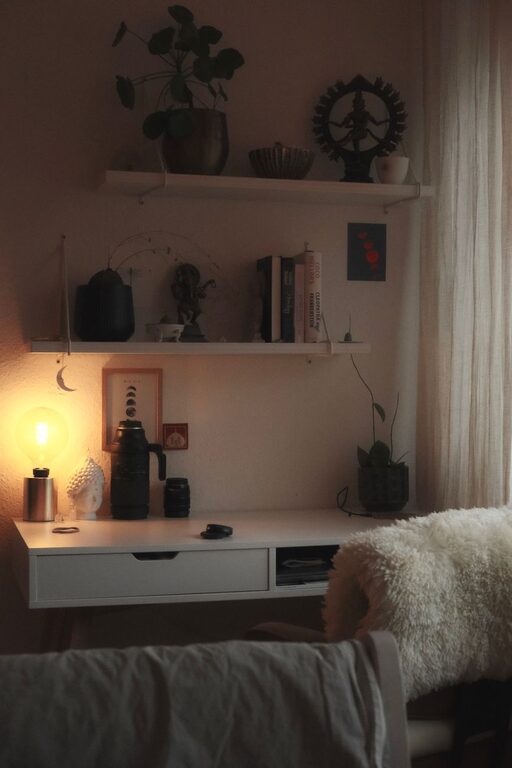
Adding calming features can make your office a place you enjoy spending time. Plants increase oxygen and add a touch of nature, which has been shown to reduce stress. Soft lighting, such as desk lamps or string lights, can create a cozy atmosphere.
Relaxation elements to consider:
– Small potted plants or succulents
– Aromatherapy diffusers with soothing scents
– Comfortable cushions or a soft rug for a cozy feel
Optimize Lighting
Good lighting reduces eye strain and helps keep you alert. Position your desk near a window to maximize natural light. For overcast days or evening work, use a combination of ambient and task lighting.
Lighting recommendations:
– Use LED bulbs with adjustable brightness
– Avoid glare by positioning lights carefully
– Consider a desk lamp with a warm light setting for relaxation
Minimize Distractions
Create boundaries to protect your focus time. Inform family or roommates of your schedule and request quiet during work hours. Use noise-canceling headphones or play soft instrumental music if background noise is unavoidable.
Tips to reduce distractions:
– Turn off non-essential notifications on devices
– Declutter the digital workspace by organizing files and closing unused tabs
– Schedule breaks to reset focus and reduce fatigue
Personalize Your Space
Adding personal touches can make your office feel welcoming and inspiring. Display artwork, meaningful photos, or motivational quotes to encourage a positive mindset.
Personalization ideas:
– Put up a vision board with your goals
– Choose a color scheme that helps you feel calm and focused
– Keep your favorite coffee mug or water bottle handy
Promote Movement and Breaks
Sitting all day can lead to discomfort and decreased productivity. Set reminders to stand, stretch, or take short walks. Integrate small exercises or yoga poses that can easily be done in your space.
Ways to stay active:
– Use a timer app to prompt regular breaks
– Try simple stretches like neck rolls and shoulder shrugs
– Consider a balance ball chair or a footrest for better posture
Technology Setup
Having the right technology makes work smoother. Ensure your internet connection is reliable and fast enough for your needs. Organize your cables to prevent tangling and keep the workspace tidy. Invest in accessories like a quality keyboard and mouse for comfort.
Technology tips:
– Use wireless devices to reduce cord clutter
– Keep chargers and adapters in a dedicated drawer or container
– Backup important files regularly
Final Thoughts
A relaxing and productive home office isn’t just about looks—it’s about creating a space that supports your work habits and wellbeing. By choosing the right location, investing in comfort, maintaining organization, and adding calming touches, your home office can become a place where you enjoy working every day. Remember, your workspace should adapt to your needs, so don’t hesitate to make adjustments as you go along.
With these tips, you’re well on your way to designing a home office that helps you stay focused, comfortable, and relaxed—all at the same time. Happy decorating!